
QUINCEFIN SOLO
Plenty of work, money moving, and no idea what you actually earned
SOLO works it out for you. You record what came in and what you spent - and you see how much money is left for you.
30 days free. No card required.
For people who work alone. No accountant, no spreadsheets, and no week of setup.
- for one person
- money, invoices, goods
- 24 € / mo.
- 30 days free
What it looks like
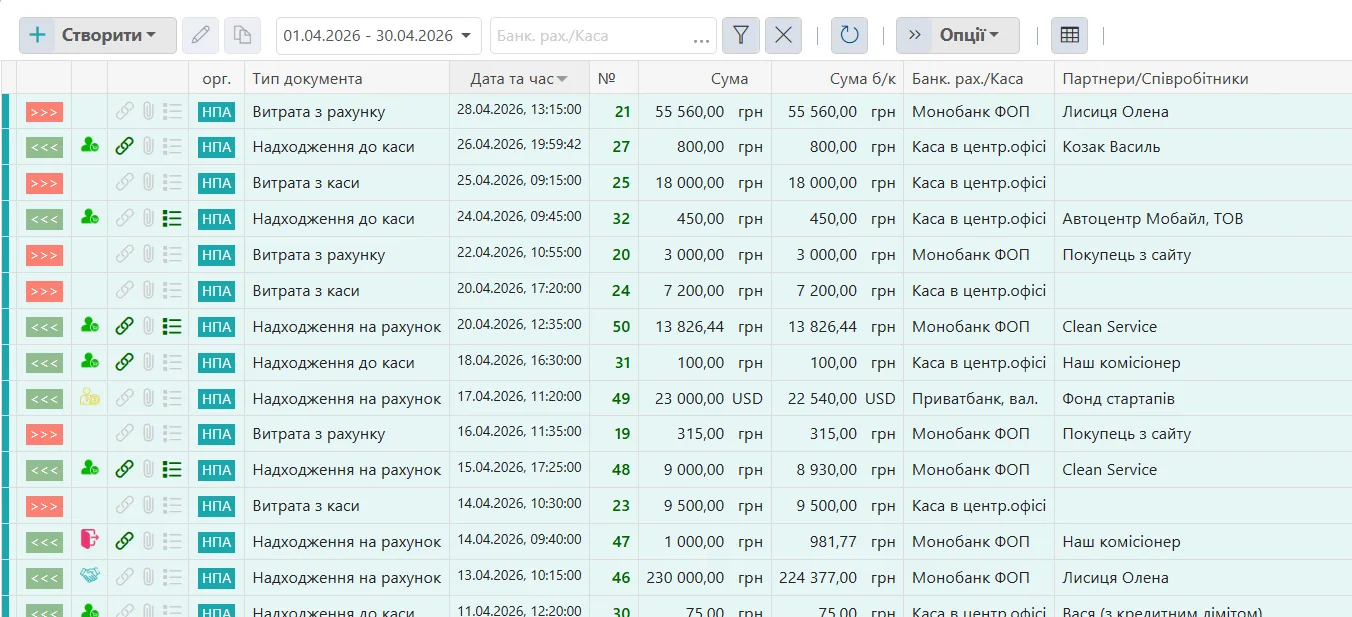
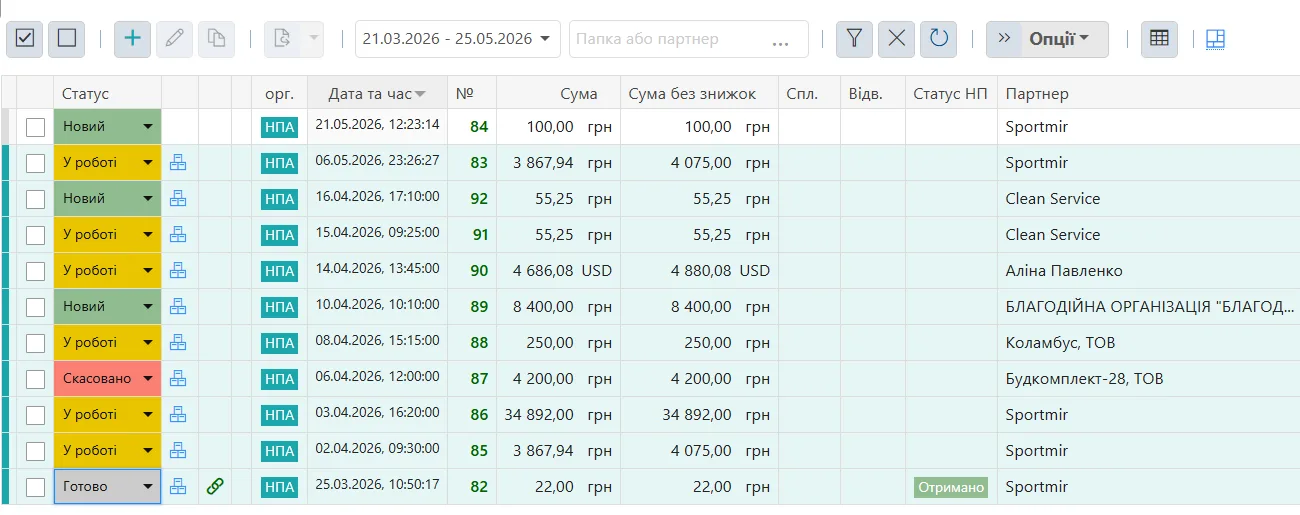
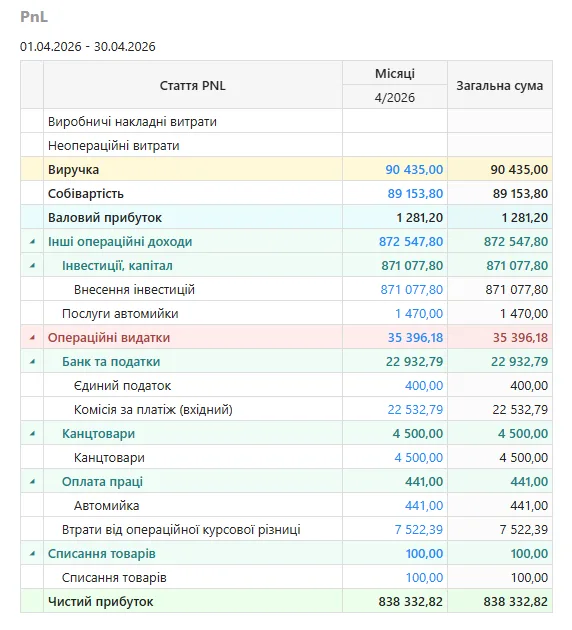
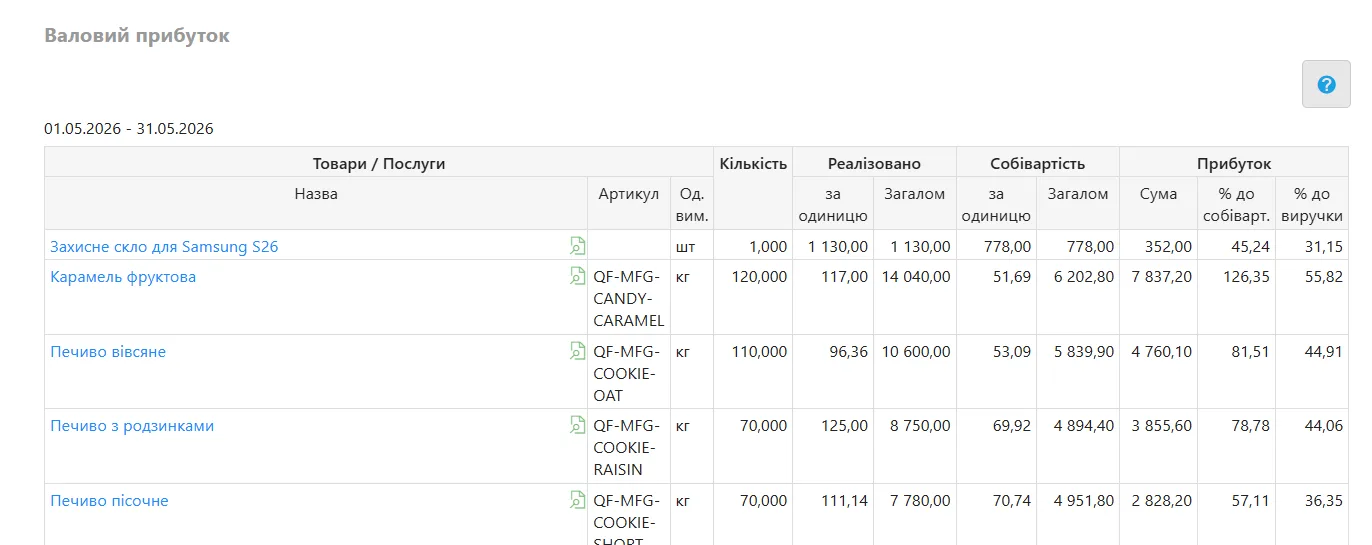
Three screens that answer “where did the money go”
These are real QUINCEFIN screens, not mock-ups. This is roughly how they look for you on the second day of use.
A day in the life
Three different trades - the same order in the money
No two jobs are the same. Here is how SOLO looks for a freelancer, for a hands-on service business, and for someone selling goods.
Freelancer
Designer, developer, copywriter
Several clients at once, payments in instalments, and small but constant expenses.
What you enter
- the client invoice for the project amount;
- the payment, once the money reaches the account;
- the expenses: service subscriptions, bank fees, tax.
What you end up seeing
- how much came in this month and exactly who from;
- which invoices are still unpaid - one filter shows them;
- what is left after expenses and tax.
Hands-on trades
Nails, repairs, photography, tutoring
Many small payments a day, cash and card mixed together, and spending on materials.
What you enter
- a list of your services and prices - once;
- the payment after each client: into the till or by card;
- the spending on materials and on renting a chair or a room.
What you end up seeing
- your takings for the day, the week and the month;
- how much of it materials and rent ate up;
- what actually stays in your hands, rather than “it seems fine”.
Trader
Small shop, showroom, selling from Instagram
Stock is bought in batches and sold by the piece, and the profit hides inside the cost of sales.
What you enter
- the purchase: what arrived, how much of it, and at what price;
- the sale and the price you sold it at;
- the customer's payment and the payment to the supplier.
What you end up seeing
- how much stock is left in the warehouse;
- which products genuinely earn and which just sit there;
- profit after cost of sales, not “the difference on the card”.
What it costs
One plan. No hidden surcharges for the basics.
24 €per month
Yearly - 230 € instead of 288 €. That is a 20% discount.
Billed in euros.
Start free30 days free. No card required.
Included from the start
- money: income, expenses, tills and accounts
- client invoices, customers and debt
- services and work
- goods: purchasing, sales, stock, prices, returns
- client-bank: statement upload by file or through the API
- reports: Cash Flow, profit, sales, stock
- 1 user and 1 organisation
- a second and third organisation - 11 € a month each (more than three is BUSINESS);
- the CRM + Tasks and Projects module - 39 € a month, if you need it.
What SOLO does not have
Retail tills (POS), manufacturing, a second person on the account, the API and external integrations. All of that lives in the BUSINESS plan.
In case you grow
SOLO is not a “starter plan”. It is a finished product.
For many people SOLO covers everything, for good - and that is fine. And if a second person, a retail till or manufacturing ever appears, BUSINESS switches on inside the same account: documents, customers and history all stay where they are.
The questions people ask most
Short answers, and no promises about things the system does not do.
Do I need an accountant to use this?+
No. You record what you already know: who paid you, what you paid for, what you sold. Nobody asks you for journal entries or a chart of accounts. If you do have an accountant, they carry on preparing their own filings - SOLO is for you, so you see the money daily rather than once a quarter.
How is this better than Excel or a notebook?+
In a spreadsheet you recalculate everything yourself and remember who has not paid. In SOLO the totals, stock and profit are recalculated without you, unpaid invoices show up under one filter, and the history does not depend on which file turned out to be the last one. The data is not locked in either: journals and lists export to Excel whenever you want.
Can I run several companies?+
Yes, up to three organisations. One is included in the plan and two more can be added at 11 € a month each. Each keeps its own money and documents separately. If you need more than three organisations, that is already the BUSINESS plan.
What about the bank - does everything go in by hand?+
Not necessarily. A statement can be uploaded as a file or pulled in through the API - this currently works with PrivatBank and Monobank. The date, number, amount, payment reference and partner details fill in from the statement; all you do is check and post it.
I sell goods, not just services. Is SOLO still right?+
Yes. Goods are part of the plan: purchasing, sales, stock levels, prices, returns and stocktakes. The only things missing are the retail till with a fiscal receipt, and manufacturing - those need BUSINESS.
Can I take my data with me if I leave?+
Yes. Document journals and lists export to an Excel spreadsheet, and products and services have their own export to Excel or XML. The data is yours, and it is not held hostage by the subscription.
How long does it take to get started?+
Signing up takes a few minutes and no card is needed. Then you set up your organisation, an account or a till, and start recording payments. Products, services and customers can be loaded from Excel rather than typed in. The first 30 days are free.
Work out your month - 30 days free
Signing up takes a few minutes and no card is needed. After that, just record what is happening anyway.