
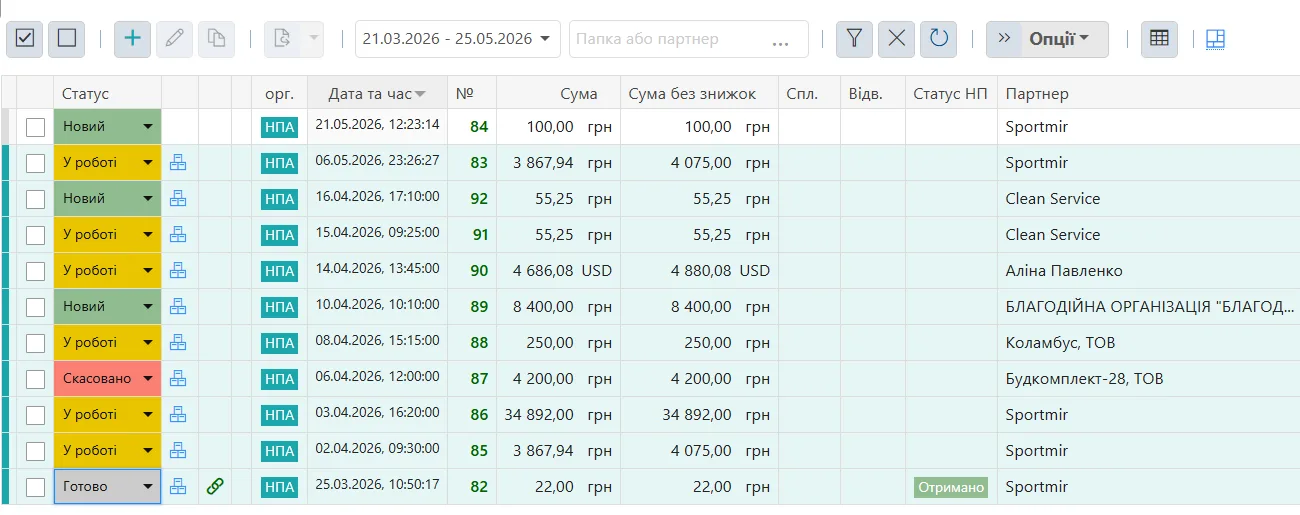
Almost everyone who works alone starts out in Excel or Google Sheets. That is a perfectly sensible start: a spreadsheet is free, flexible and requires nothing to learn. The question is not whether Excel is good or bad. The question is when it stops saving your time and starts taking it.
When spreadsheets really are enough
Do not rush anywhere if you have:
- a handful of transactions per week;
- services only, with no goods and no warehouse;
- one or two customers who pay immediately;
- a single line of business rather than several legal entities;
- a need for the monthly total, not for analytics.
In that mode a spreadsheet beats any application - simply because it demands nothing of you.
Six signs the spreadsheet is now in your way
1. You have more than one version of the file
“Accounts_2026_new_final_edit”. The moment a second copy appears, you no longer know which number is real.
2. You remember who owes you, instead of seeing it
If the answer to “who still hasn’t paid me” comes from memory rather than in half a minute, your bookkeeping has stopped working. In a proper system that is a filter on payment status: paid, partly paid, unpaid.
3. Stock levels do not match what is on the shelf
The quantity in a spreadsheet changes only when you remember to change it. Every sale, return or damaged item is a manual edit, and manual edits get missed.
4. Working out your profit takes an evening
Revenue is always visible in a spreadsheet. Cost of goods sold, commissions, returns and taxes have to be pulled together by hand - which is why real profit gets calculated once a quarter, or never.
5. You type bank statements in by hand
This is the most expensive habit of all. A statement can be uploaded as a file or pulled in over an API - in QUINCEFIN this works for PrivatBank and Monobank (two of the largest Ukrainian banks), and the date, amount, payment reference and counterparty details fill themselves in from the statement.
6. You already have more than one entity
Two lines of business in one file means two sets of numbers that keep bleeding into each other. You can separate them with filters and colours, but not for long.
What an application gives you that a spreadsheet cannot
- Links between documents. A payment is attached to an invoice, a sale to a product, so balances and debts recalculate themselves.
- One version of the truth. No parallel files and no question about who made the edit.
- Ready-made reports. Cash Flow, P&L, sales, stock and profit per item are already assembled - no monthly pivot table to build.
- History. You can see what changed and when, not just the last state of a cell.
What Excel does better
Honestly: two things. First, it is free. Second, you can build any non-standard calculation in it in ten minutes without waiting for anyone to ship a feature. That is exactly why spreadsheets never disappear even in companies with large systems - they simply stop being the main place where accounting happens.
How to move without losing your data
People usually imagine the switch as “re-typing everything”. It is not:
- Products, services, customers and prices are imported from Excel - QUINCEFIN has a step-by-step import with column mapping and a preview before anything is applied.
- Cash and stock balances are entered once, as of your start date.
- The old spreadsheet stays as an archive; you do not carry every past year into the new system.
The way back stays open too: document journals and lists export to Excel, and products and services have their own export. Your data does not become hostage to a subscription.
What to choose if you work alone
If you only have a few transactions a month, keep the spreadsheet - it is doing its job. If you recognised three or four of the signs above, take a look at QUINCEFIN SOLO: money, customer invoices, services and goods in one place for one person, from €24 per month, with 30 days free and no card required. There is more detail on the difference from spreadsheets on the QUINCEFIN vs Excel page, and what exactly SOLO includes - plus when you need BUSINESS - is on the pricing page.